


New article
Recently updated
Updating the Mail Manager New Outlook web add-in

Who is this article for?
Users or admins who want to update their Mail Manager New Outlook web add in.
Some admin permissions may be required.
If you have been using Mail Manager with New Outlook version 15.3, update your Mail Manager New Outlook web add-in to benefit from the speed improvements in version 15.4.
Before you begin
You can only update the add-in manually if your administrator allows it. If your administrator does not allow this, they can deploy the update to all users via the Microsoft 365 admin centre.
Removing the existing add-in
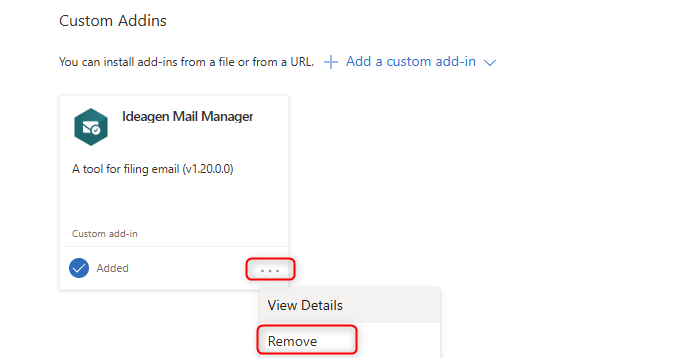
To remove the current Mail Manager add-in:
- Go to your Office Add-ins.
- Select My Add-ins.
- Scroll down until you see your Mail Manager add-in.
- Select the three dots and choose Remove.
Downloading the new add-in manifest file
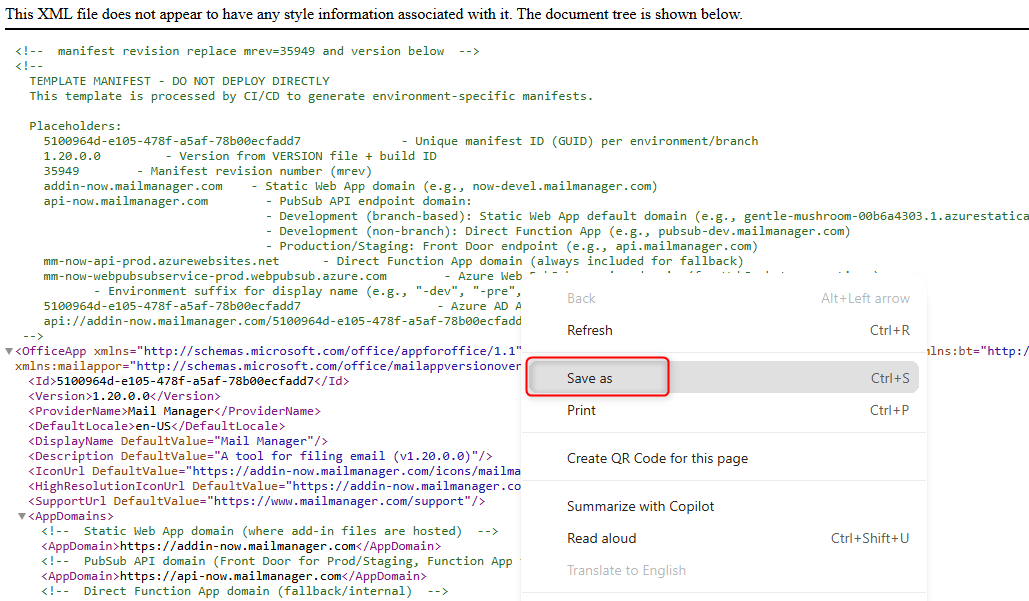
To download the new add-in manifest file:
- Open the manifest file.
- Right-click anywhere on the page.
- Select Save As.
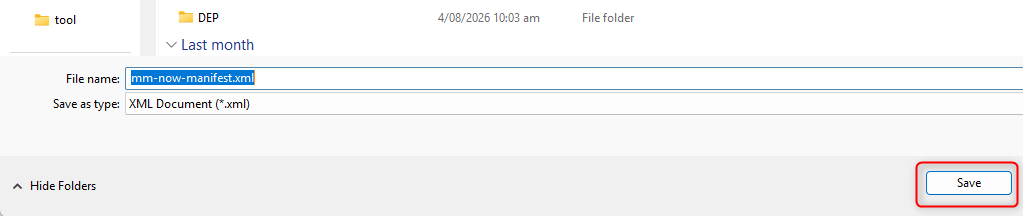
- Save the file as an .xml file (this is your add-in manifest file).
Installing the new add-in
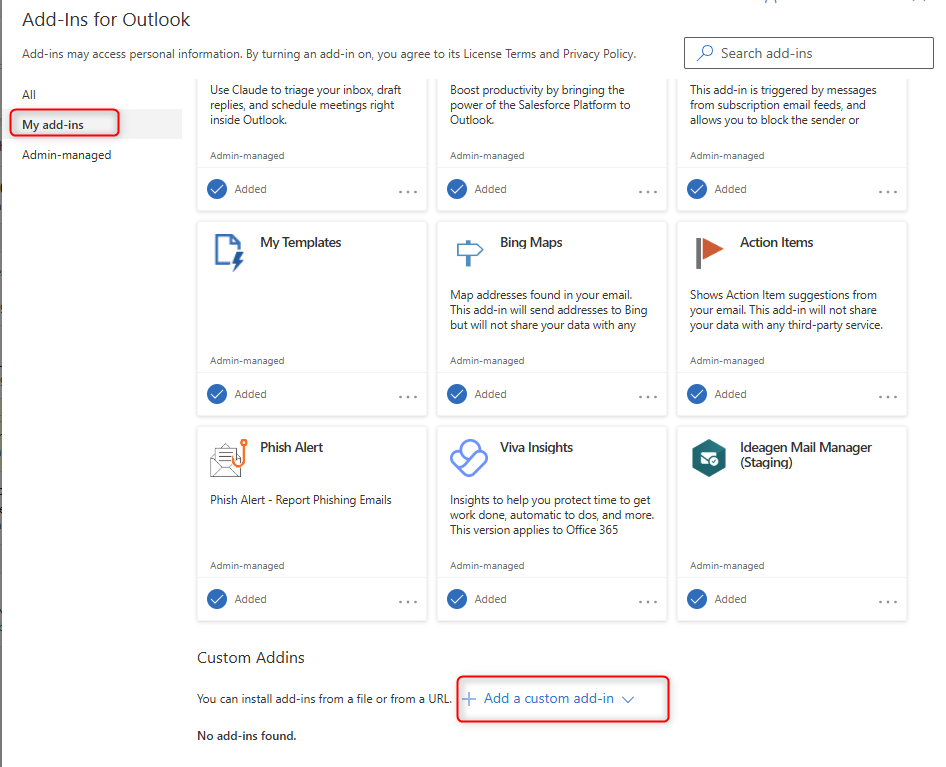
To install the new Mail Manager New Outlook custom add-in:
- Select Add a custom Add-in.
- Choose Add from file.
- Browse to where you saved the add-in manifest file and select it.
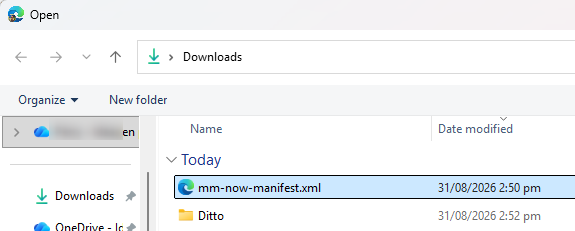
- Select Open.
- Select Install.
You will now have the new Mail Manager web add-in installed for New Outlook.
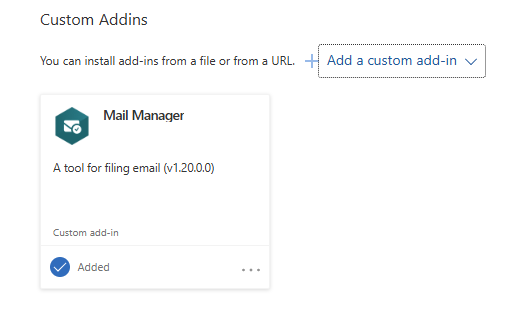
Note: The new add-in includes speed improvements. You should notice these after filing one or two emails.