


New article
Recently updated
Resolving the 'User not authorised on license' error

Who is this article for?Users or admins who get this licensing error.
License portal access might be required.
This article explains how to resolve the 'User not authorised on license' error that appears when auto allocation is turned off in the NEO license portal.
Understanding the error
When you see this error message, it indicates that auto allocation has been turned off in the NEO license portal for your organisation.
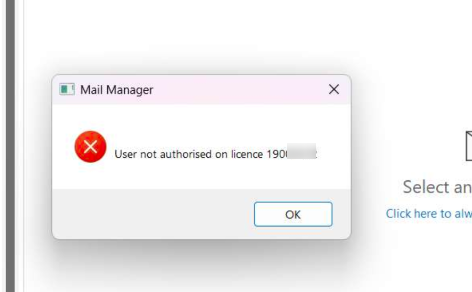
Note: This error prevents users from accessing the system until auto allocation is re-enabled.
Resolving the error
To resolve this licensing issue:
- Contact your Customer Success Manager.
- Request that they turn on auto allocation in the license portal.
- Ask the affected user to restart Outlook.
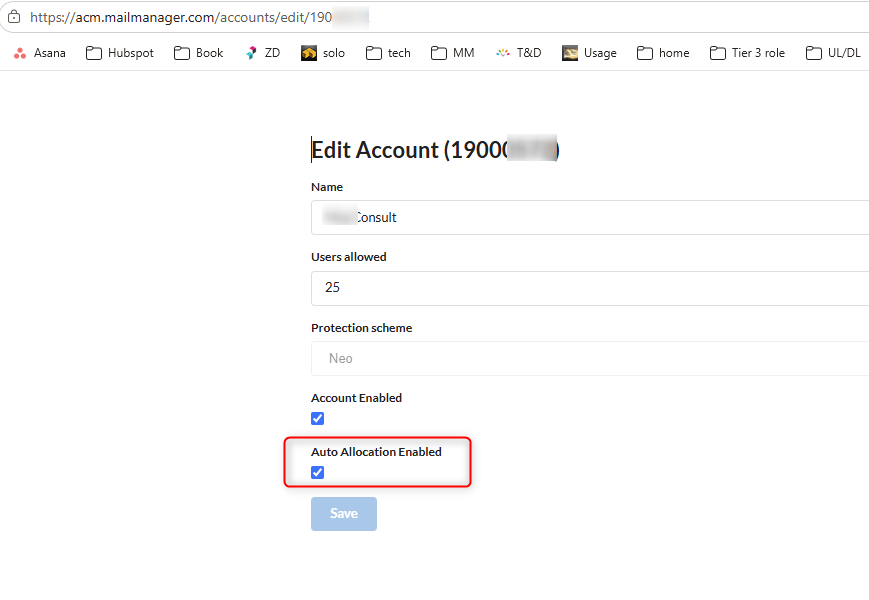
Once auto allocation is re-enabled and Outlook has been restarted, the user should be able to access the system without further issues.