


New article
Recently updated
Resolving conflicts resulting from multiple users filing the same email

Who is this article for?
Users who identify an issue with an email being filed by multiple users.
Dashboard access is required.
When multiple users attempt to file the same email using Ideagen Mail Manager, conflicts can arise, such as duplicate entries, overwriting, or inconsistent filing locations.
This article explains how Ideagen Mail Manager handles these situations and provides best practices to avoid and resolve conflicts effectively.
1. Identifying conflicts
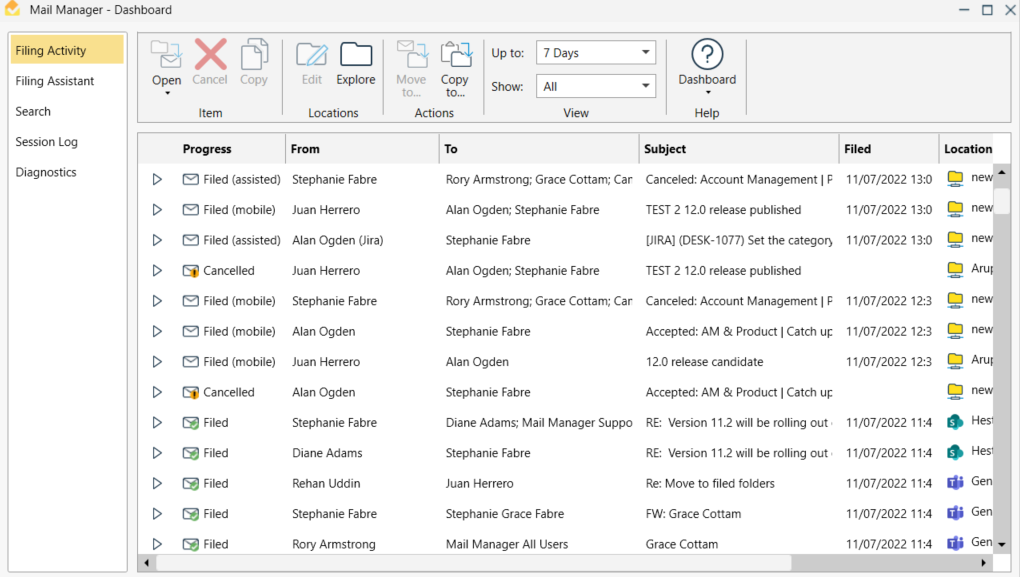
To identify a conflict, review the Filing Activity log within the Dashboard.
Ideagen Mail Manager uses unique identifiers (such as message ID and timestamp) to detect when the same email is being filed by multiple users, so the system may notify you or log the event for review.
2. Resolving conflicts
To resolve a conflict:
- Identify who filed the email and where it was filed.
- Compare metadata and filing locations to detect inconsistencies.
- Communicate with the involved users to agree on the correct filing destination.
- Merge duplicate entries into one accurate version and remove said duplicates.
- Adjust filing rules or user permissions to prevent future conflicts.
3. Avoiding conflicts
To minimise the chances of filing conflicts:
- Establish clear filing protocols for teams
- Use shared filing rules and templates
- Enable notifications for duplicate filings
- Train users on conflict resolution procedures
- Regularly audit filing activity for consistency